Specification :





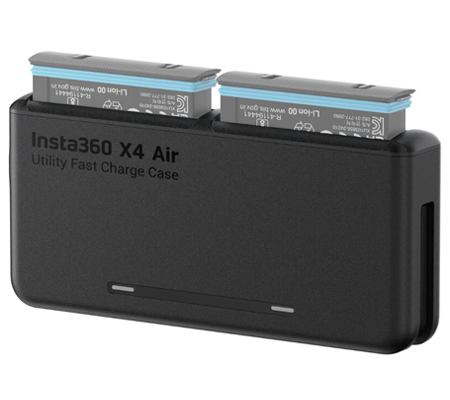
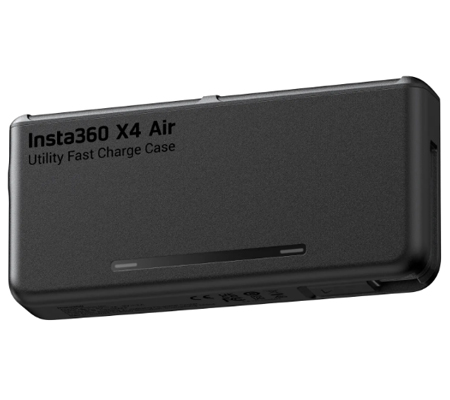
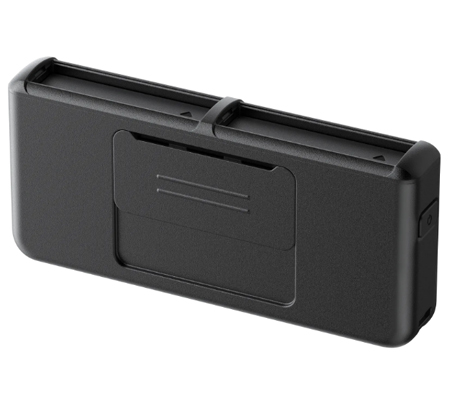
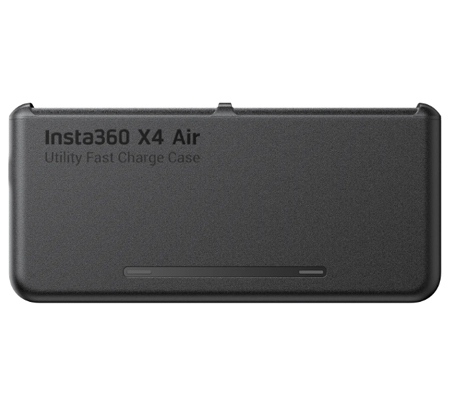
Utility Fast Charge Case
Lightning-fast charging keeps you filming nonstop.
Dual-slot fast charging.
Supports PD fast charging, powering one battery to 80% in just 32 minutes. Dual battery slots with independent power management to prevent overcharging.
Compact and portable.
Palm-sized design with flush-fit batteries makes the case easy to carry on the go.
Includes your cable.
Never forget your charging cable again. Comes with a built-in USB-C cable for easy battery top-ups on the move.
Three batteries, one hub.
Simultaneously charges two batteries in the case and the one in your camera via a USB-C cable.
* For safety reasons, charging power is reduced when charging both batteries and Insta360 X4 Air simultaneously via the case. We recommend this setup only when fast charging isn't required. For quicker charging, connect an external power source directly to X4 Air.
In the Box
1x Utility Fast Charge Case
Specs
Weight: 97g ±1g (3.4oz ±0.04oz)
Dimensions: 129x59.6x21.4mm (5.1x2.3x0.8in)
USB-C Charging Port
Input: 5V = 3A 9V = 3A 9V = 2A
Built-in USB-C Cable
Input: 5V = 3A 9V = 2A 9V = 3A
Output: 5V = 2A
Charging time (using a PD fast charge 9V/3A adapter)
1x 2040mAh battery:
70 mins to 100%
2x 2040mAh batteries:
100 mins to 100%
Operating Environment: 32°F to 104°F (0°C to 40°C)
* Charging may be slower when used below 50°F (10°C)
How to Use :
Charge batteries using the USB-C charging port
1. Align the notch of the battery with the triangular mark on the battery slot, then insert. The battery is securely slotted when the orange indication marks on the top of the battery are no longer visible.
2. Connect the Utility Fast Charge Case to a power adapter with a USB-C cable into mains electricity (100-240V, 50/60Hz) to begin charging the battery.
Notes:
To prevent damaging the battery and case, only insert the battery into the Utility Fast Charge Case in the manner shown in the manual. The orange indication marks on the battery cover should not be visible.
- The Utility Fast Charge Case can charge two batteries. When charging, the case will prioritize and fast charge the battery already closest to a full charge.
- It's recommended to use a 9V/2A or 9V/3A power adapter with the Utility Fast Charge Case. 5V adapters are also compatible.
Simultaneously charge batteries and Insta360 X4 Air
1. Align the notch of the battery with the triangular mark on the battery slot, then insert. The battery is secure when the orange indication marks on the top of the battery are no longer visible.
2. Use the built-in USB-C cable to connect Insta360 X4 Air to the Utility Fast Charge Case.
3. Connect another USB-C cable from the Utility Fast Charge Case to the power adapter and plug it into an AC outlet (100-240V, 50/60Hz) to simultaneously charge batteries and Insta360 X4 Air.
Notes:
Do not connect Insta360 X4 Air to the Utility Fast Charge Case if no battery is inserted to avoid reverse charging.
Charge batteries using built-in USB-C cable
1. Align the notch of the battery with the triangular mark on the battery slot, then insert. The battery is secure when the orange indication marks on the top of the battery are no longer visible.
2. Connect the Utility Fast Charge Case to a power bank (input: 5V-3A?9V-2A?9V-3A) with the built-in USB-C cable to charge the battery. Alternatively, you can connect the Utility Fast Charge Case to a power adapter and mains electricity (100-240V, 50/60Hz) with the built-in USB-C cable.
Charge external devices with built-in USB-C cable
1. At least one battery with ≥30% charge must be in the Utility Fast Charge Case to start charging an external device. Follow the steps above to insert the battery.
2. To charge a USB-C compatible device such as a smartphone, a tablet or a camera, use the built-in USB-C cable to connect the device to the Utility Fast Charge Case.
Notes:
To charge external devices with the Utility Fast Charge Case, insert a battery with at least 30% charge; otherwise, it won't charge. If you insert two batteries, the Utility Fast Charge Case will prioritize the battery with the most charge.
If the device being charged by the Utility Fast Charge Case has a larger power capacity than the inserted battery/batteries, the device cannot be fully charged without connecting the case to mains electricity.
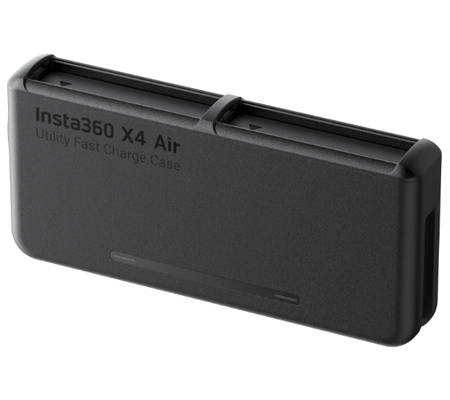
Store microSD cards
Remove the cover on the back of the Utility Fast Charge Case and insert microSD cards as shown. The case can store up to three microSD cards at once.
Notes
1. The Utility Fast Charge Case only supports Insta360 X4 Air batteries. Batteries from other models should not be inserted and charged.
2. Do not charge batteries near flammable and inflammable materials.
3. When using an external power source (mains electricity or power bank), disconnect the Utility Fast Charge Case once the batteries are fully charged.
4. Do not touch the Utility Fast Charge Case charging points.
5. Keep the battery slots and the USB-C charging port free from water, dust, and other debris.
6. Do not clean the Utility Fast Charge Case or the charging points with liquid products. Clean with a soft, dry cloth.
7. Store the Utility Fast Charge Case in a dry and clean environment.
_1.jpg)
_(3).JPG)