Specification :





Invisible Dive Case Pro
Made for the depths.
Capture every detail.
Created to boost clarity when shooting underwater.
Truly invisible 360 underwater footage.
Our class-leading Invisible Dive Case is back and better than ever! Get perfect 360 shots underwater with no blind spots.
Seamless perfection.
Snap in your X5, dive in, and capture crystal-clear 360 footage. The custom dome design eliminates distortion no matter how deep you go.
Explore the depths.
Keep recording as deep as 164ft (50m).
New Storage Bag.
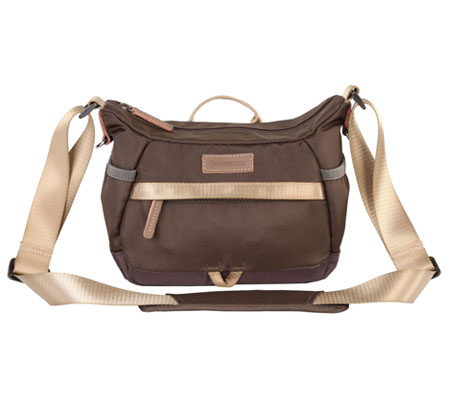
The new quick-dry storage bag is usable both on land and underwater, protects your dive case from bumps and scratches, and can be attached to a Buoyancy Control Device (BCD).
Built by Insta360. Tested for the deep.
Rigorously tested for optical clarity and durability so you can dive with total confidence.
Specs
Weight: 410±5g (14.46±0.18oz)
Maximum Depth: 164ft (50m)
How to Use
1. Open the Case
Lift the locking arm (1) and release the lock catch (?). Once all four buckles are unhooked, open the dive case.
2. Attach Anti-Fog Inserts
Insert the anti-fog inserts as shown below.
Note:
Ensure the inserts are completely dry before use. After repeated use in humid conditions, the inserts may become damp, affecting their anti-fog performance.
When using third-party anti-fog inserts, ensure that the size is within 37.1x19x1.2mm. If the insert is too large, it may cause water leakage and damage the camera.
3. Insert the Camera
1. Remove any lens guards and ensure that the camera lenses and the dive case interior are clean and free from dirt and dust.
2. Place the camera into the dive case as shown in the diagram below. Ensure the buttons are aligned correctly.
Notes:
When in Dive Case Mode, press the Power Button to switch shooting modes and the Quick Button to start or stop shooting. For more information, refer to the "Button Instructions in Dive Case Mode" below.
Take care not to scratch the lens when inserting the camera into the case.
4. Close the Case
Close the dive case (1). Hook the locking arm onto the lock catch (2), then press down on the locking arm (3) until you hear a click. Repeat this process to secure all buckles.
Notes:
Before use, ensure the dive case is firmly closed. Check the parts of the dive case in contact with its rubber seal are free of dirt and dust.
For the best shooting results, keep the case lens clean.
5. Attach Other Accessories
Install Selfie Stick and Weight Block
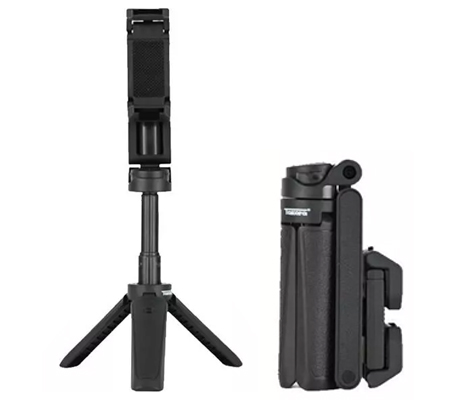
1. When using a selfie stick, mount it to the dive case with the included Anti-Tilt 1/4" to 3-Prong Adapter and Thumb Screw. To prevent the selfie stick or dive case from coming loose due to strong water flow, be sure to fully tighten the Thumb Screw using the wrench.
2. For better balance underwater, attach the weight block to the dive case first, then install the selfie stick.
To achieve the Invisible Selfie Stick effect, always keep the selfie stick and the case in a straight line.
Notes:
When using the dive case with the weight block and selfie stick, avoid fully extending the selfie stick to reduce shaking while shooting.
Before entering the water, check the connections between the dive case, weight block, and selfie stick to make sure everything is securely attached.
The dive case is highly buoyant. When freediving, it is not recommended to use it with the Insta360 floating hand grip. Instead, attach the weight block and hold it while diving and filming.
Using the Storage Bag
1. Unclip the buckle, lift the flap, and place the dive case with the weight block and selfie stick into the storage bag.
2. Attach the storage bag to a Buoyancy Control Device (BCD) in the following ways:
- Use the Velcro on the back of the storage bag to attach it to the shoulder strap of the BCD.
- Use the Velcro on the back of the storage bag to attach it to the waist strap of the BCD.
Note: When using Velcro to attach the storage bag, it's recommended to also tether it to the BCD via the side attachment loop to prevent it from coming loose.
- Use the side attachment loop on the storage bag together with a carabiner (sold separately) to secure it to a D-ring on the BCD.
6. Stitching
1. For optimal stitching, keep one lens facing your subject. To reduce glare underwater, avoid pointing the dive case lenses toward the surface.
2. After shooting, open the files in the Insta360 app or Studio. Footage captured with the Invisible Dive Case Pro will be automatically stitched.
3. When the camera is out of the case, swipe up on the camera touchscreen to exit Dive Case Mode for optimal image quality.
Notes
1. Do not open the dive case while it is wet.
2. After using the dive case in saltwater, clean it as follows:
3. Remove the camera and securely close the dive case.
4. Soak the case in fresh water for 5-10 minutes to prevent residual salt from crystallizing in gaps. These salt crystals will not dissolve in water and can lift the rubber seal and cause water leakage.
5. Rinse gently under a faucet. Never apply a strong water stream from a single direction, as it may cause water leakage.
6. After washing, wipe away any water droplets remaining on the surface with a soft, dry cloth and leave to dry. Ensure there is no sand on the dive case before wiping, as sand may scratch the surface when wiped with a cloth.
7. Do not dry with a hair dryer or any other heat source as it may damage the dive case.
8. Do not clean the dive case with soapy water, neutral detergents, alcohol, or organic solvents (such as thinner or gasoline), as this may degrade its waterproof performance.
9. Do not rinse the inside of the dive case while diving. Rinse it only after you finish diving. After rinsing, dry the lenses and light-blocking cover with a clean, dry towel and leave the dive case open to air dry. Before using it again, make sure it's completely dry and free of water to prevent fogging.
10. To prevent discoloration or staining, avoid contact with cosmetic products such as sunscreen, foundation, and hand cream.
11. Do not store the dive case in a hot or humid environment, particularly hot cars.
12. Store the case in a dry, well-ventilated location.
13. When using Insta360 X5 Satin White underwater, please use the Light-Blocking Covers to prevent flare issues that may occur during underwater shooting.
_1_-_Copy.jpg)