Specification :





Mini 2-in-1 Tripod 2.0
Small tripod, big potential, new design.
More variety, less hassle.
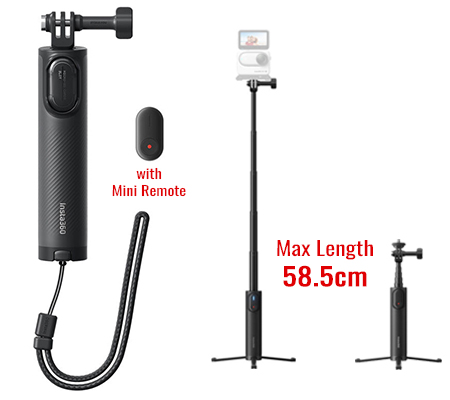
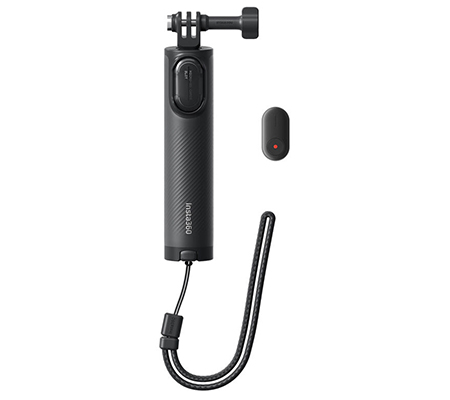
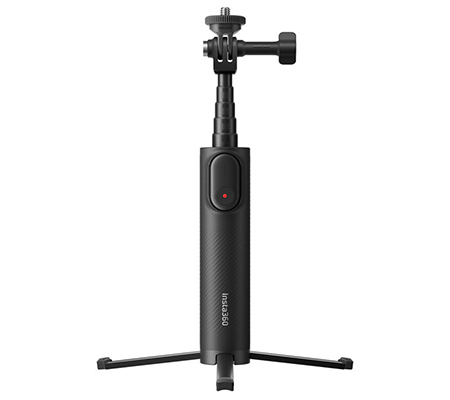
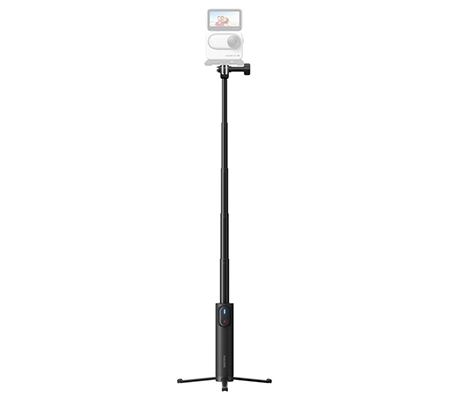
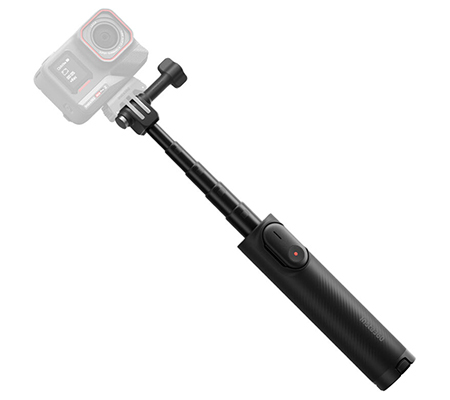
A simple all-in-one design. Switch from the built-in tripod to the 58.5cm selfie stick with ease.
Small but sturdy.
Compact design for shooting on the go.
Cross-compatible.
Universal 3-Prong Adapter and 1/4" to 2-Prong Adapter for all your cameras and accessories.
Control with a click.
Compatible with the Insta360 Mini Remote. Control the camera remotely to start and stop recording with one click.
*The Mini 2-in-1 Tripod 2.0 includes a Storage Cover that can store up to two microSD cards. The Mini Remote is available in the Mini 2-in-1 Tripod 2.0 Remote Kit or can be purchased separately.
Specs
Weight: 172g (6.1oz)
Maximum Weight Limit: 300g (10.6oz)
Minimum Length: 18cm (7.1in)
Maximum Length (Tripod retracted): 58.5cm (23in)
Material: Aluminum alloy, plastic, thermoplastic elastomers (TPE)
How to Use
1. Attach Camera to Mini 2-in-1 Tripod 2.0
Align the 1/4" screw at the top of the tripod with the screw hole at the bottom of the camera or mount adapter and attach the camera.
Loosen the Thumb Screw to adjust the 1/4" to 2-Prong Adapter by 180°. Adjust it to the desired angle, then tighten the Thumb Screw
Notes:
- Attach an Anti-Slip Ring to tighten the 1/4" to 2-Prong Adapter.
- For 360 cameras, rotate the knob to adjust the camera, ensuring the thumb screw is parallel to the bottom of the camera and that the camera remains parallel to the selfie stick. This allows the tripod to appear invisible in 360° footage..
2. Install Mini Remote
Remove the Storage Cover from the tripod and insert the Mini Remote (sold separately) in the direction indicated. Please refer to the Mini Remote's instructions for information on how to use it.
The Storage Cover can store two microSD cards.
3. Extend Built-In Selfie Stick
Pull the selfie stick from the top to extend it to the desired length. Push it down to retract.
Notes:
- Do not exceed the maximum weight limit (300g). Install the camera securely to prevent it from falling.
- Avoid dropping the tripod to prevent damage to both the accessory and camera.
4. Extend Built-In Tripod
Pull out the tripod at the bottom of the Mini 2-in-1 Tripod 2.0 and place it on a smooth, flat surface.
Notes:
- Ensure the tripod is stable and avoid using it on uneven surfaces. When using the tripod outdoors, do not extend the selfie stick to its maximum length as it may fall over. Be cautious in strong winds as it may tip over and damage the accessory and camera.
- Do not force the tripod to bend into different positions or angles.
- Do not exceed the maximum weight limit (300g). If the camera is too heavy, the tripod may tip over and damage the accessory and camera.
- Remove the camera before moving the tripod, as strong vibrations or intense movements could damage the accessory and camera.
To store the tripod, fold the legs together and push them upward with the palm of your hand.