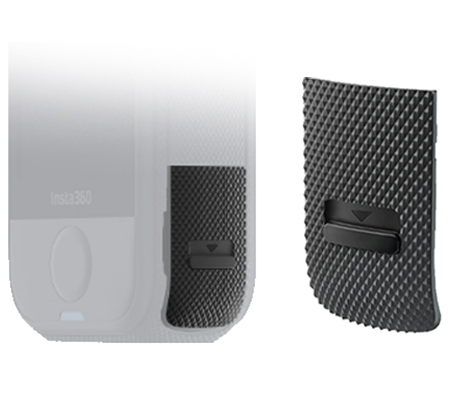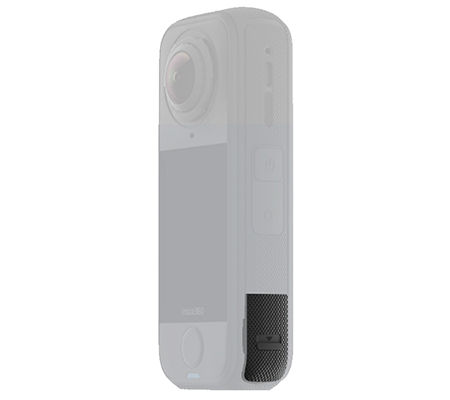


Insta360 X4 Air USB Cover
JPC
  jpc@jpckemang.com   021-7180487
 

Insta360 Accesories

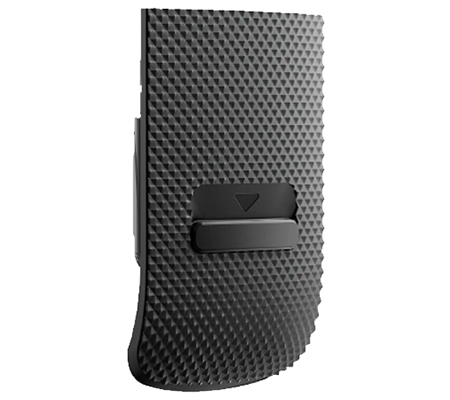
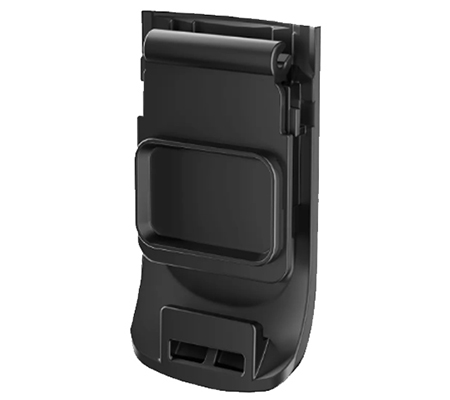
Insta360 X4 Air USB Cover

Rp 190.000 Warranty: Garansi Resmi 3 Bulan

Specification :

  • Compatible for Insta360 X4 Air
  • Replacement USB cover for X4 Air.
  • Protects the camera's USB port from dust and moisture.
  • Materials: Plastic, silicone


Ingin cicilan 0% ? Silahkan klik :

lazada.co.id tokopedia.com blibli.com shoope.co.id


USB Cover

Replacement cover to protect the USB port from dust and moisture.


Notes*

1. Ensure the USB port is clean and dry before closing the X4 Air USB Cover. If there is moisture around the USB port, wipe it dry and allow it to fully air dry before closing.

2. Ensure the cover is properly closed and the orange marks are not visible before using the camera in wet, humid, dusty, or sandy environments. Failure to do so may affect the camera's performance.

3. When using the camera while charging, you may remove the cover to prevent it from falling off. If it is rainy or humid, it is recommended to use the X4 Air All-Weather USB Charging Cover for added protection.
Specs


Weight: 1.1g (0.04oz)

Dimensions: 25.9×14.2x5.1mm (1×0.6×0.2in)

Materials: Plastic, silicone


How to Use

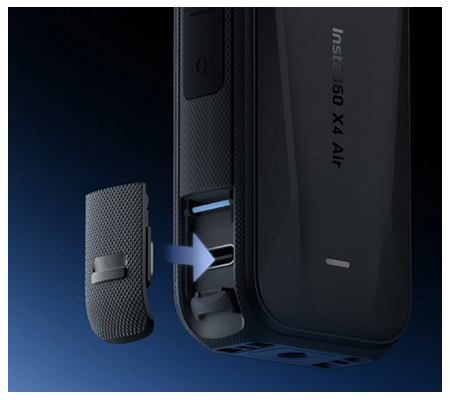
1. Push the slider inside the X4 Air USB Cover upward (1) in the direction shown. Then, line up the cover's slot with the metal rod and insert it (?). Press until you hear a click.

2. Carefully close the cover (3) and ensure it moves freely without any resistance. While closed, push down on the cover and slide it upward (0) until you hear another click. It is properly closed when the orange marks are not visible.

Orange marks

3. To remove, slide the cover downward, lift it up, and pull it out. For easier removal, apply more force to one corner when pulling it out.

Video not available.
NEW REVIEWS

Related Products and Accessories